01 · SHARE TO INRIVIO
Share any workout.
Get a real plan.
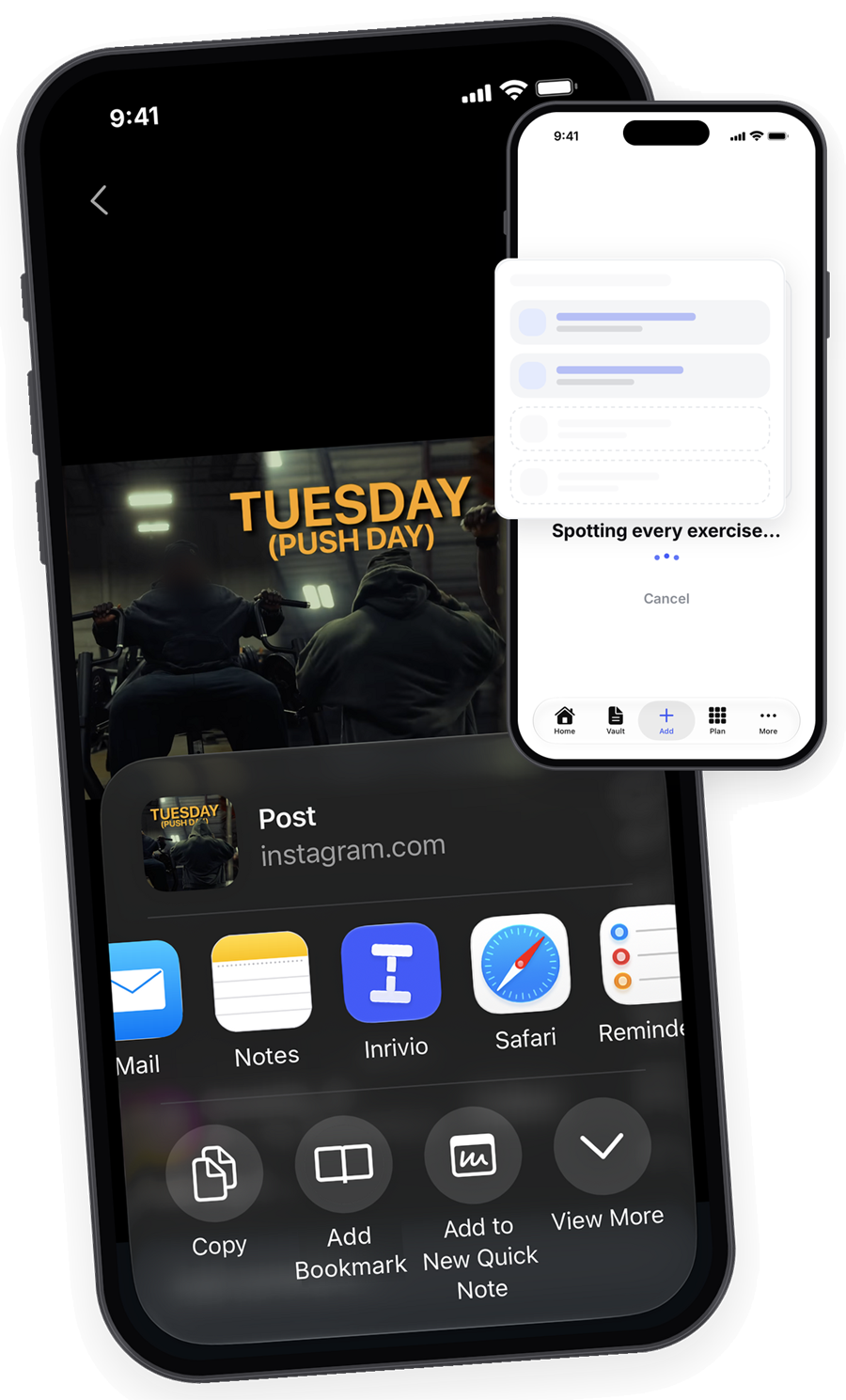
Inrivio shows up in your phone's Share menu, right next to Messages and Notes. No copying links. No screenshots. No retyping.
1
See it.
Spot a workout you like on TikTok, Instagram, YouTube, Pinterest, Reddit, X, Facebook, or almost any website or blog.
2
Share it.
Tap Share, then tap Inrivio. A few seconds later it's a clean workout, with every exercise in order.
3
Do it.
Review it, tweak anything, and start right away. Inrivio guides you through every set.
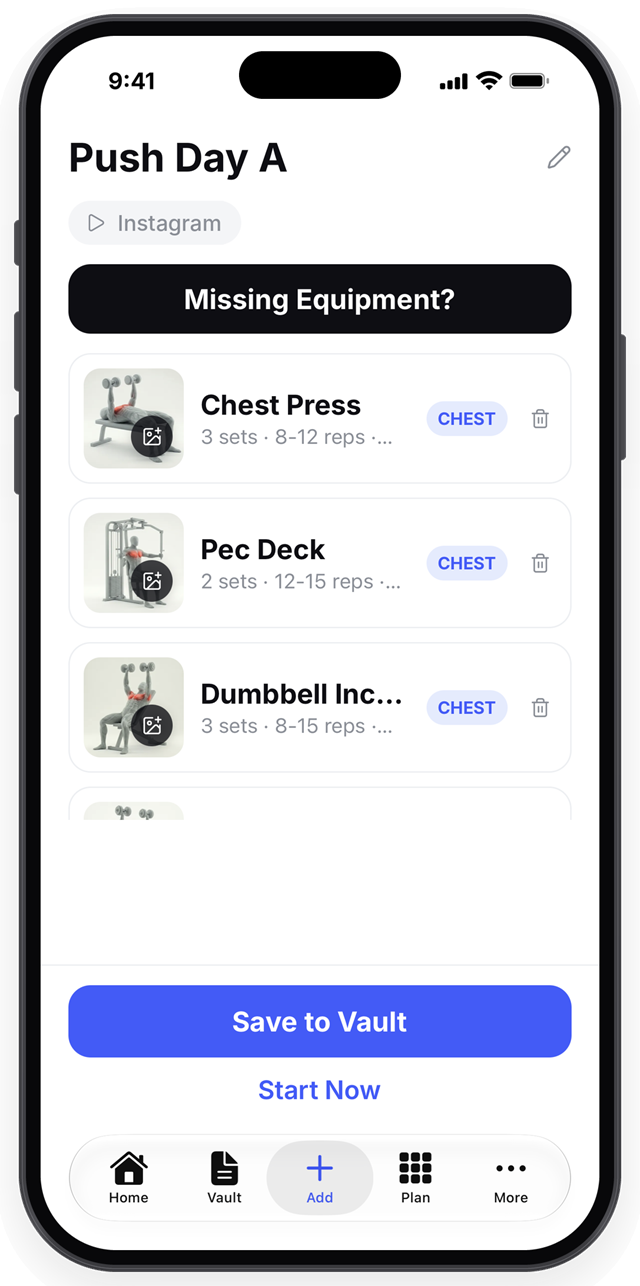
Messy post in.
Clean workout out.
The whole post, turned into a workout
Every exercise in order, with sets, reps, rest times, the muscle worked, and the equipment needed.
Full weekly plans, split for you
A post with Monday push, Wednesday pull, and Friday legs becomes three separate workouts, ready for your calendar in one tap.
Tricky posts, handled
If the workout is only shown inside the video or the slides, Inrivio guides you to the quickest way to get it in, so you're never left stuck.
Yours to edit
Review and change everything before you save, then start right away.
03 · FOLLOW ALONG
A hands-free coach
for every set.
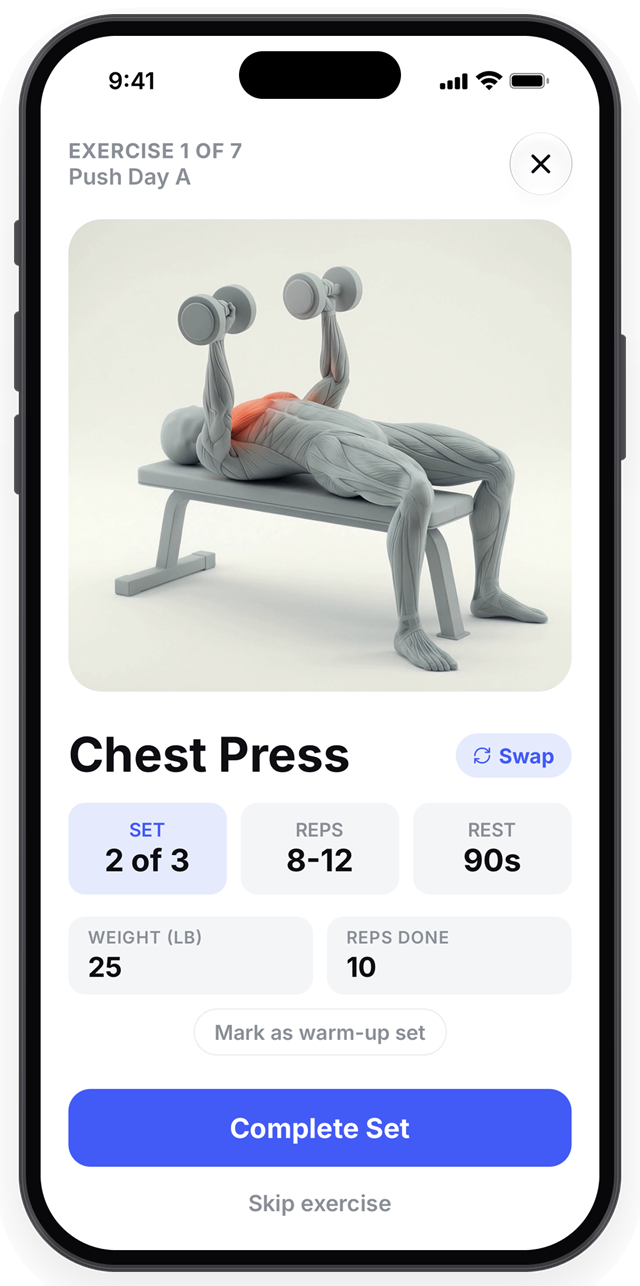
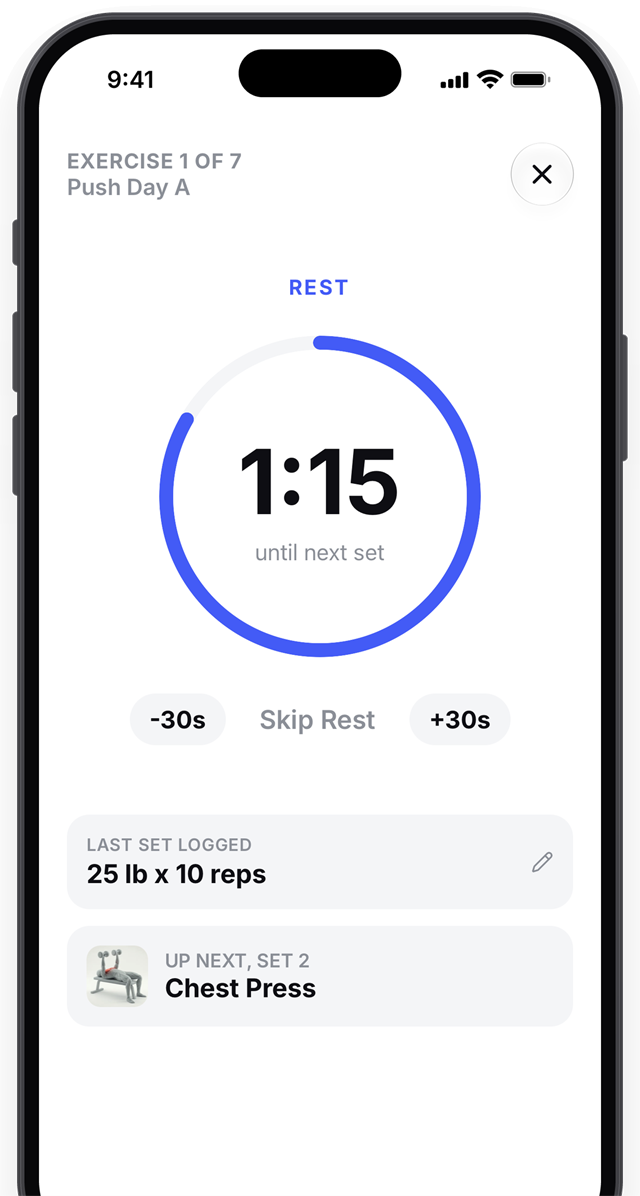
Tap Start and Inrivio coaches you through the whole session. The screen stays awake, so you are never squinting at a caption between sets.
{{ f.title }}
{{ f.desc }}
04 · MADE FOR YOU
A workout that fits your goals and your gear.
A personal profile
Tell Inrivio your goals, even in your own words like "get faster for soccer," plus your experience, how you train, and the equipment you own.
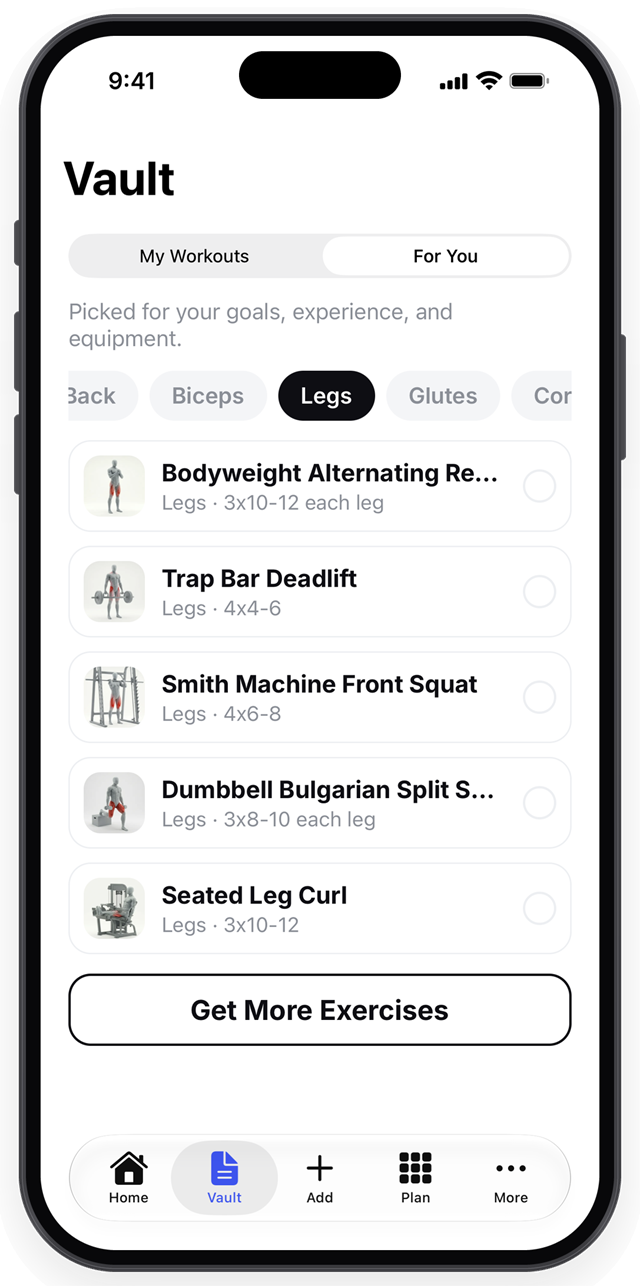
"For You" exercises
A feed of exercises picked for your goals, experience, and equipment. Turn them into a new workout or add them to one you already have.
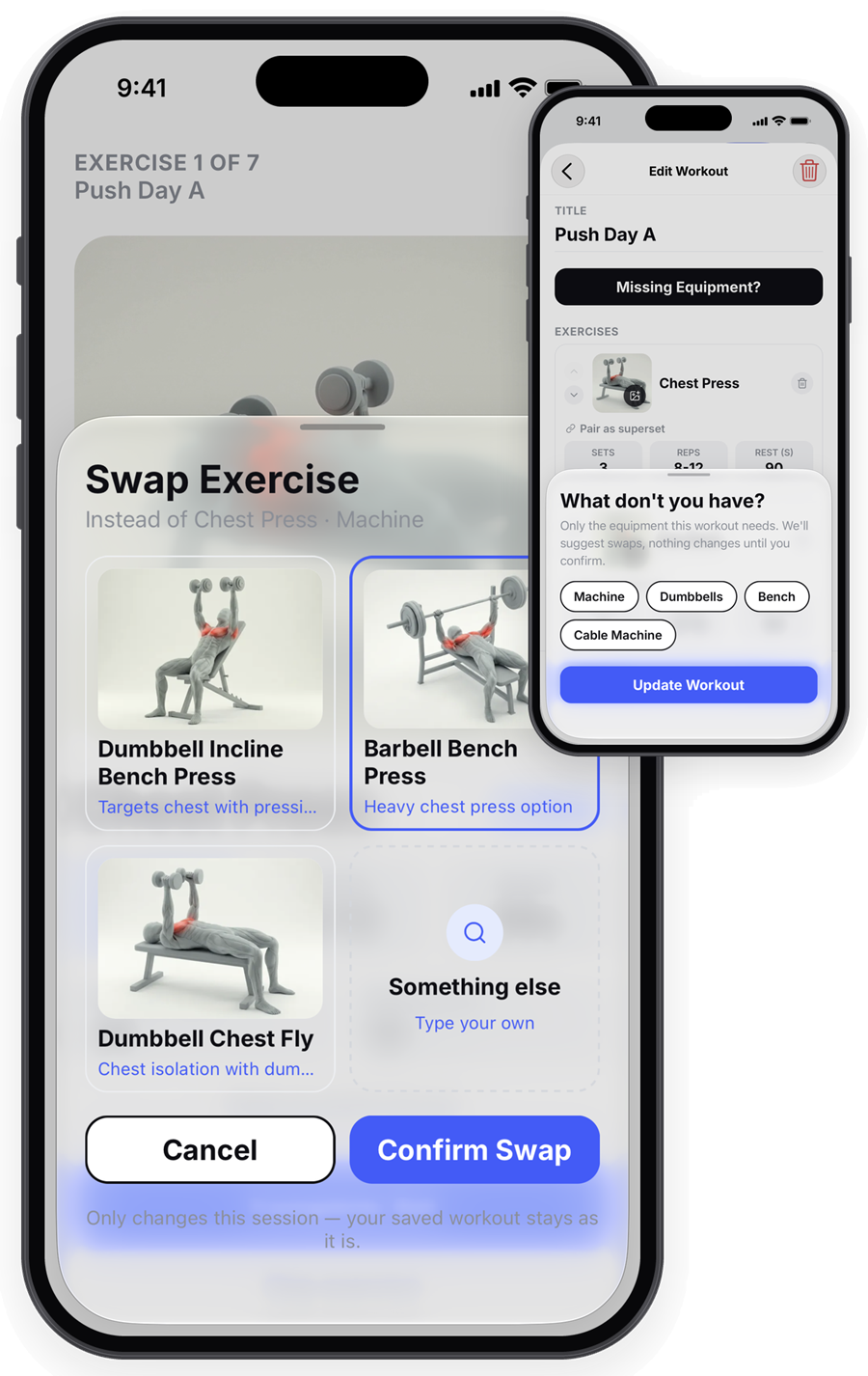
Exercise Swap
Don't have a machine today? Inrivio suggests a replacement that works the same muscles with what you have. Nothing changes until you say so.
Missing Equipment check
Tap one button, mark what you don't have, and Inrivio suggests a swap for every affected exercise.
05 · PROGRESS THAT KEEPS YOU GOING
Every PR, tracked.
A recap every Sunday.
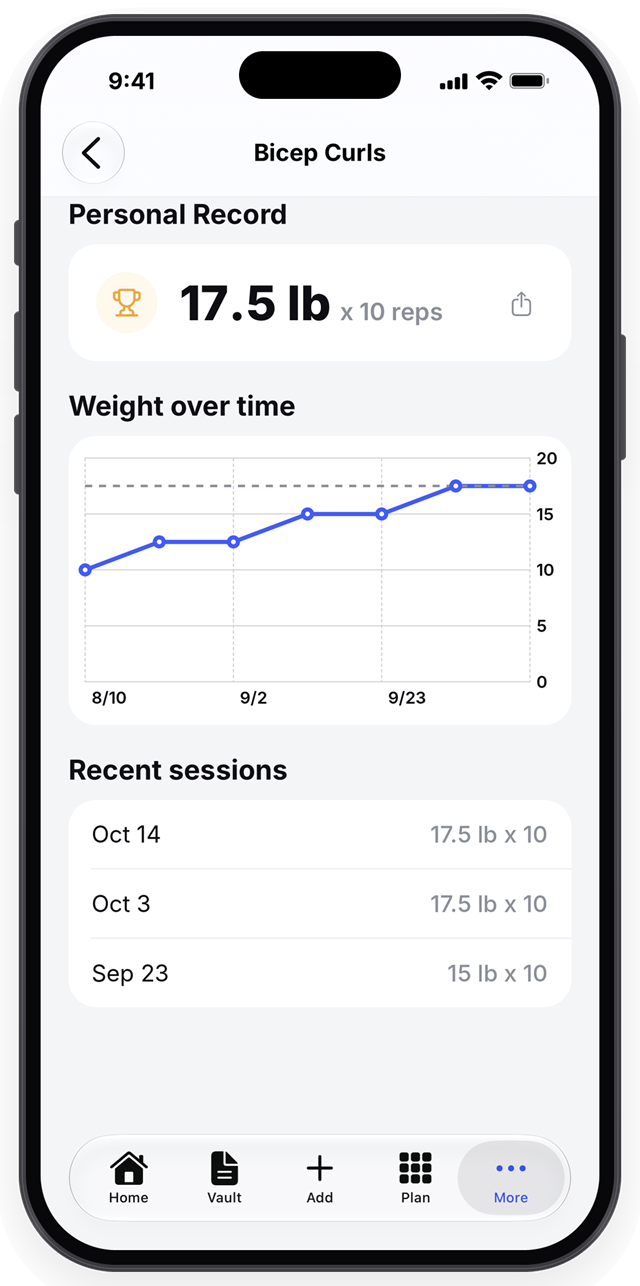
Personal records
Found automatically, with a celebration when you set a new one.
A chart for every exercise
See how your weights have climbed over time.
Weekly volume
See what you're training and what you're missing, for each muscle group.
Streaks and badges
Streaks that respect your rest days, plus badges for milestones like your first workout, a 7-day streak, or 100 workouts.
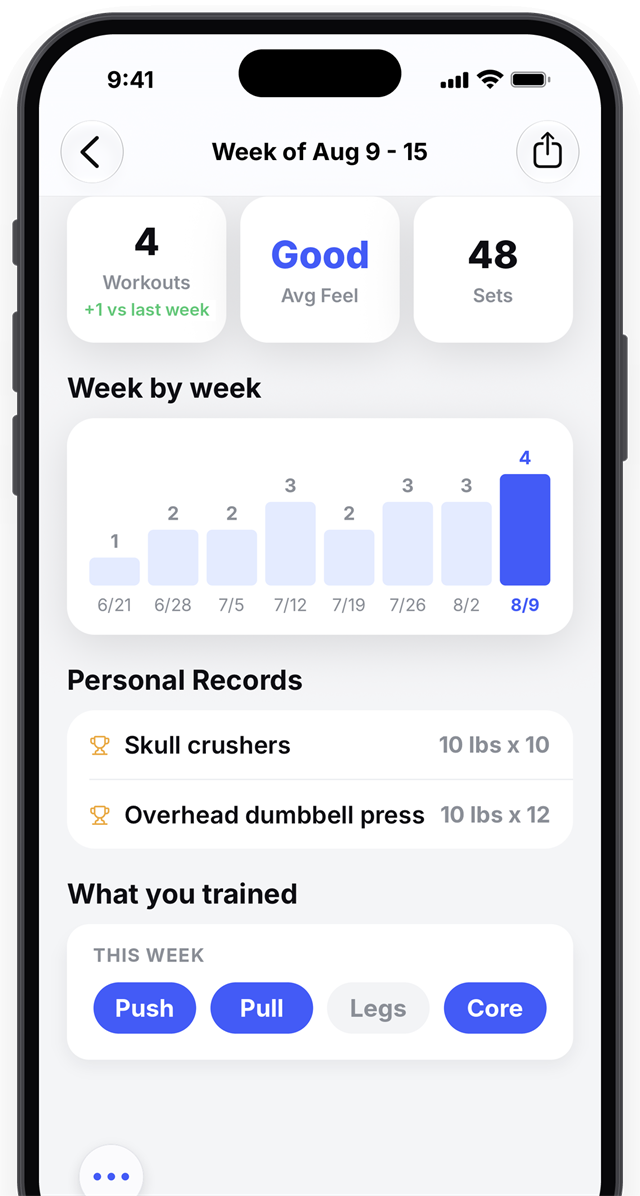
A weekly recap every Sunday
Workouts done, a history chart, records set, how the week felt, and which muscle groups you trained.
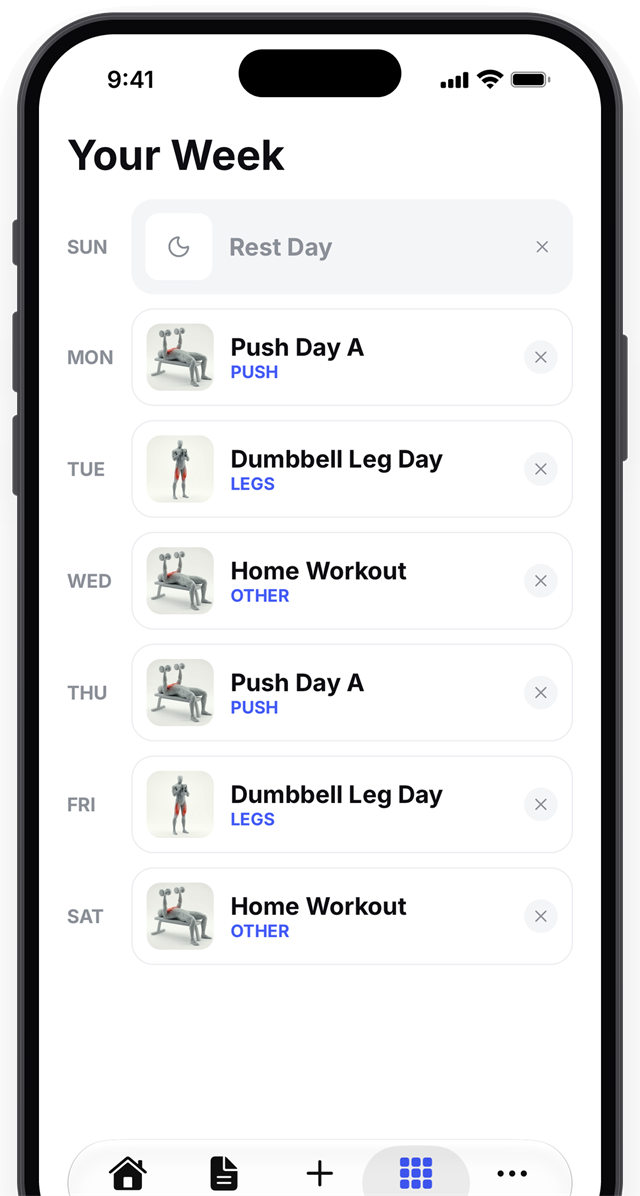
06 · PLAN YOUR WEEK
Plan your
whole week.
Program Builder
Put any saved workout, or a rest day, on each day of the week.
Today's plan on your Home screen
One tap to start.
Smart reminders
A morning reminder, a streak nudge in the evening, and a Sunday recap notice. You control them.
07 · ALWAYS AT HAND
On your wrist, on your Lock Screen, in your Health app.
Apple Watch app
Start and follow a workout from your wrist: your current set, target reps, weight, and rest timer. It also measures your heart rate and calories and saves them to your history.
Home Screen widget
Today's workout and your current streak, at a glance.
Lock Screen and Dynamic Island
While you train, your current set shows right on your Lock Screen and in the Dynamic Island.
Apple Health
Save your completed workouts and logged weight to Apple Health so they appear in your Fitness rings and history.
08 · THE VAULT
Your whole library,
one search away.
Searchable and filterable
Every workout you save lives in the Vault, ready to find in a second.
Know where it came from
Each workout shows its source, like "Instagram" or "Photo Upload."
Quick actions, with undo
Start, edit, duplicate, or delete any workout. Anything you delete has an undo.
09 · SHARE YOUR WINS
Post your progress in one tap.
Beautiful, ready-to-post cards for finished workouts, new personal records, badges, and weekly recaps. Made for Stories and group chats, and styled with the Inrivio look.